09.30.
Betninja Casino Login with Touch ID for Canada Players

I have aided many players from Canada simplify their entry to digital casinos, and I can assure you that fingerprint login is among the most effective security enhancements available today betninja-casino.ca. Betninja Casino now provides a biometric authentication choice that eliminates passcodes with a fast scan of your fingertip. I consider this approach decreases obstacles while enhancing account security. In this tutorial, I will take you through all you need to know to establish, validate, and fix fingerprint login for your Betninja membership in Canada.
Frequent Login Issues and Ways to Troubleshoot Them
Even a well‑designed biometric system can from time to time hiccup. I have put together solutions for the issues Canadian players report most frequently. Many problems can be resolved without the need for contacting support, giving you more time during your gaming session.
Fingerprint Recognition Failure on Android Devices
If your phone cannot scan your finger, begin by cleaning the sensor surface with a dry microfibre cloth. I additionally recommend re‑registering your fingerprint in the Android system settings, capturing the edges of your fingertip thoroughly. Moist or chilly fingers can interfere with capacitive sensors, so warm your hands first.
After updating the system fingerprint, go into the Betninja app’s security settings and toggle biometric login off and on again. That triggers a fresh token exchange and generally resolves recognition errors that appear after a system update.
Face ID and Touch ID Confusion on iPhones
Some iPhone users note that the app asks for Face ID even though they prefer Touch ID. I point out that iOS manages biometric authentication uniformly; the app simply requests biometric verification and the operating system determines which method to use based on available hardware. If you have an iPhone with both types of Face ID and Touch ID, the app will follow the system’s default.
You may override this by deactivating Face ID for the app in your iPhone’s settings, forcing it to ask for the passcode. Nevertheless, I think it more practical to let iOS pick the fastest accessible method, which is generally Touch ID when your finger is already on the sensor.
Temporary Lockouts After Unsuccessful Attempts
After five fruitless fingerprint attempts, Betninja Casino briefly turns off biometric login and asks for your password as a security measure. I regard this as a safeguarding feature, not a flaw. Just enter your email and password, and the biometric option will re‑activate on its own.
If you cause the lockout often, try erasing and re-adding your fingerprint in your device’s system menu. I also suggest verifying pending OS updates, because old firmware can result in variable scan results.
Clearing App Cache Without Losing Preference
On Android, a faulty app cache sometimes stops the biometric prompt from displaying. I recommend going to your device settings, selecting “Apps,” finding the Betninja Casino app, and tapping “Clear Cache” without wiping storage data. This clears temporary files while maintaining your login preferences and fingerprint binding.
After clearing the cache, turn off and on your phone and start the app. You should see the fingerprint icon on the login screen again. If the icon still does not appear, carry out a full app reinstall after making sure your account credentials are saved in a password manager.
The method Fingerprint Login Works at Betninja Casino Canada
When you use biometric login, your device captures a mathematical representation of your fingerprint and compares it to the encrypted template stored locally. Betninja Casino never obtains your actual fingerprint image. Instead, the app gets a simple yes-or-no confirmation from your device’s secure enclave, giving access only when a match is detected.
I value this system because it erases the need to type complex passwords while maintaining bank-grade security. For Canadian players, this means faster sessions on both Android and iOS devices without sacrificing the safeguards required by provincial gaming standards. It is a seamless blend of convenience and compliance.
I want to emphasize that fingerprint authentication is layered on top of your existing password and two-factor settings. You can always switch back to manual login if your device becomes unavailable. That redundancy offers you full control over how you access your Betninja Casino balance and favourite games.
Setting Up Fingerprint Authentication for the Initial Time
Enabling fingerprint login is a easy process, but I recommend preparing your device beforehand. You require a smartphone that already has at least one fingerprint enrolled in its system settings. The setup wizard inside the Betninja Casino app will walk you through the rest.
Hardware Requirements
The majority of modern smartphones sold in Canada support biometric sensors that meet Betninja’s security standards. I recommend checking that your device runs iOS 14 or later for Apple products, or Android 9 and above with a verified fingerprint scanner for Android handsets.
- iPhone 6s or more recent with Touch ID, or iPhone X and newer with Face ID (works with fingerprint‑on‑screen alternatives through password fallback)
- Android devices featuring a rear‑mounted, side‑mounted, or in‑display fingerprint sensor using a secure lock screen
- A reliable internet connection, because initial binding needs a one‑time server handshake
- The most recent version of the Betninja Casino app downloaded directly from the official .ca website or authorized app stores
Step‑by‑Step Setup
Once you meet the requirements, the activation flow inside the app needs less than two minutes. I always advise closing background applications first to prevent any conflicts with the security prompts. Stick to the specific instructions for your operating system below.
Enabling Fingerprint Login on Android
On Android, access the Betninja Casino app and authenticate with your email and password. Navigate to “Account Settings” and choose “Security.” Tap the switch labeled “Biometric Login” and let the system to verify your existing fingerprint. After a success message displays, your next login will present the fingerprint icon by default.
I have seen that some Android skins hide the biometric prompt behind a secondary unlock. If you encounter a “Use PIN instead” option the first time, merely use your backup PIN and the fingerprint preference will remain saved for subsequent sessions.
Enabling Touch ID on iOS
For iPhone users, sign into the Betninja Casino app using your credentials, then go to “Profile” and pick “Login Settings.” Switch the “Touch ID” option to green and authenticate with the fingerprint already stored in your device. The app will acknowledge the binding instantly.
Apple’s Secure Enclave processes the matching process entirely on‑device, which I find very reassuring. You can still use your password if your finger is wet or you are wearing gloves, so the biometric option never locks you out completely.
Common Questions
Does using fingerprint login more secure than a traditional password at Betninja Casino?
Absolutely, I believe fingerprint login better because it relies on a unique biological trait that cannot be guessed, written down, or stolen through phishing. The data is kept encrypted on your device and is never transmitted to Betninja servers. Alongside your password fallback, it creates a strong two‑factor environment that significantly reduces the risk of unapproved account access for Canadian players.
Can use fingerprint login on various devices with the same account?
You are able to link biometric login to a single device at a time per account. If you change to a different phone, I advise disabling biometric access on the former device first through the app settings. Then log in on the different device using your password, perform identity verification if prompted, and enable fingerprint authentication again. The binding process is fast and maintains your balance and game history.
What happens if my fingerprint sensor fails while I am abroad?
If your sensor malfunctions outside Canada, you can at any time sign in using your email and password. The biometric option is a ease layer, not the sole access method. I suggest keeping your password in a secure manager so you can log in from any dependable device. You can later re‑enable fingerprint login once your sensor is fixed or you return to your primary smartphone.
Does Betninja Casino share my fingerprint data to third parties?
Not at all. My research shows that Betninja Casino never collect, keep, or transmit your actual fingerprint. Your device’s secure operating system conducts the scan and provides only a verification token. This aligns with Canadian privacy principles and Apple’s and Google’s biometric security standards. No third party, like payment providers or game studios, at any time gets biometric information through this login process.
For what reason is fingerprint login failing to appear in my app settings even after verification?
Often this means your device does not meet the minimum security requirements. Check that a screen lock fingerprint is already set up in your phone’s system settings and that your operating system is current. I also advise force‑closing the app and reopening it. If the option remains hidden, reinstall the latest version of the Betninja Casino app from the official Canadian portal, as outdated builds may be missing biometric compatibility.
Is it possible to I temporarily disable fingerprint login if I lend my phone to someone?
Absolutely. You can toggle biometric login disabled in the app’s security settings immediately. I advise doing this before giving your device. Until you reactivate the feature, the app will only ask for your password. Moreover, you can use Android’s lockdown mode or iOS’s emergency SOS sequence to instantly revoke biometric access across all apps for the current session.
What steps should I take if I lose my password but still have fingerprint access turned on?
Fingerprint access is practical, but it does not take the place of your password entirely. If you lose your password, biometric login may still work for the time being, yet certain critical operations like withdrawals or security changes will need the password. I urge you to reset your password as soon as possible through the “Forgot Password” link on the login screen. You can finish the reset while still signed in via fingerprint on another tab.
Authenticating Your Identity as a Canadian Player
Fingerprint login becomes available only after your identity has been verified. I consider this a vital safeguard that secures both you and the operator. Canadian regulations mandate a Know‑Your‑Customer review, and Betninja Casino follows those rules with a efficient document submission process.

The Documents You Require
You will be required to upload one piece of government‑issued photo ID. A Canadian driver’s licence, provincial ID card, or passport is optimal. I suggest ensuring the document is not expired and that all four corners are clearly visible in a well‑lit photograph.
In addition to the ID, you will be required provide a recent proof of address. A utility bill, bank statement, or government correspondence generated within the last three months is acceptable. The address must match the one you entered during registration to avoid delays.
How Long Verification Requires
From my experience, standard checks are completed within 12 to 24 hours. I have seen many Canadian players get cleared on the same business day when they submit high‑quality images. Peak periods, such as weekends or holiday promotions, can extend the timeline slightly.
Once confirmed, you receive an email notification. Immediately after that, the biometric login toggle becomes active in your settings. I advise enabling fingerprint access right away so you can test it before making a deposit.
Why Verification
Beyond regulatory compliance, identity verification prevents underage gambling and financial fraud. It also guarantees that withdrawals reach the correct account holder without friction. I view this step as an investment in account safety, and fingerprint login simply enhances that foundation.
Setting up Your Betninja Account: Complete Registration
Before you can use fingerprint login, you need a fully registered Betninja Casino account. I advise completing the sign-up process from Canada because it adjusts currency and verification requirements to your region. The form is intended to be clear, and I have seen most players finish it in under five minutes.
Here is the exact sequence I recommend you follow when registering on the Betninja Casino platform. Each field should be completed with accurate, real-world information to avoid issues during the identity verification stage later.
- Go to the official Betninja Casino Canada page and tap the “Register” button visible on the login screen.
- Enter a valid email address and create a strong password that combines uppercase, lowercase, digits, and a special character.
- Enter your full legal name exactly as it appears on your Canadian government‑issued identification.
- Supply your date of birth to confirm you meet the minimum gambling age in effect in your province, such as 19 in Ontario or British Columbia.
- Pick Canada as your country of residence, choose your local currency, and set a secure four‑digit PIN for account‑sensitive operations.
- Consent to the terms and conditions after reading them, then tap “Create Account” to submit your details.
Soon after submission, you will receive a verification email. I recommend opening that email right away and clicking the confirmation link to activate your account. Skipping this step will prevent you from enabling fingerprint login and making a first deposit.
Safety Features Behind Fingerprint Access
I aim to explain the detailed security layers that protect your biometric login. Many players I talk to have questions about what happens if their phone is stolen. Comprehending how Betninja Casino handles fingerprint data will alleviate those concerns.
How Fingerprint Data Is Secured
Your fingerprint template stays on your device. Instead, the operating system converts the scan into an encrypted mathematical hash and stores it in a dedicated secure processor. When you log in, the app receives only a signed approval token from that processor, never raw biometric information.
I regard this design more secure than centrally stored passwords because even if Betninja’s servers were ever compromised, an attacker would obtain no usable fingerprint material. Local processing keeps you in control of your own biometric identity.
Data Encryption and On-Device Storage
All communication between the Betninja app and your device’s secure element employs end‑to‑end encryption. The session token that permits your login is protected by the same cryptographic standards used to banking apps in Canada. I recommend activating full‑disk encryption on your smartphone for an additional layer of protection.
If the system recognizes a login attempt from an unrecognized device fingerprint or a rooted phone, it automatically prevents biometric binding. That safeguard aligns with the security posture I expect from a modern Canadian‑facing casino platform.
Biometric Versus Password Authentication
I often debate the practical differences between biometric and manual logins with new players. While passwords remain valid fallbacks, fingerprint access delivers distinct advantages:
- No chance of shoulder surfing or keylogging when entering credentials in public places
- Unable to guess or brute‑force, unlike weak or reused passwords
- Rapid access with a single touch, reducing session idle time and exposure
- Automatic lock if too many failed biometric attempts are recorded, triggering a fallback to password and two‑factor authentication
09.30.
Gamble Freely Win Smartly Play Responsibly in Netherlands with iDEAL Casino

iDEAL Casino establishes itself as a Netherlands-focused online gambling operator that merges local payment habits with a full suite of casino games. Players based in the Netherlands can sign up, verify their identity, first deposit bonus idealcasino, play and withdraw without leaving the euro zone or handling unfamiliar banking rails. The site is built around the iDEAL instant-payment network that most Dutch bank customers already use for everyday shopping, which erases the usual friction of funding an online account. In addition to iDEAL, the operator supports several other widely used Dutch and European payment methods, and it publishes clear processing times so players know when funds will arrive. All games are supplied by licensed studios, and the platform carries the appropriate Dutch and EU licences required to serve residents legally. The remainder of this page looks at the concrete features a prospective player should review before opening an account.
Sign-up and identity verification steps for Dutch residents
Opening an account at iDEAL Casino begins with an email address, a preferred username and a password that satisfies the operator’s complexity rules. Right away after the first login the player is asked to upload a government-issued photo ID and a recent proof of address, typically a bank statement or utility bill dated within the last three months. Dutch residents can complete this step with a passport or driving licence plus an extract from the municipal personal records database (BRP). The verification team normally returns a decision within one working day; once approved, the account is raised to full status and withdrawal limits are unlocked. Players who skip verification can still view games and make deposits, but withdrawals remain blocked until the documents are checked and accepted. This two-stage process is designed to satisfy the Netherlands Gambling Authority’s customer-due-diligence requirements without unnecessary delays for the most of straightforward applications.
During verification the player is also prompted to set daily, weekly and monthly deposit and loss limits. These limits can be reduced at any time through the responsible-gambling section of the account menu; any increase, however, is subject to a 24-hour cooling-off period. The system saves the chosen limits on the player profile and automatically declines any transaction that would exceed them. This built-in safeguard is active for every new account opened from a Dutch IP address and cannot be bypassed by the player or the operator.
Offer arrangement and promotion rules
New players obtain a first-deposit match bonus that multiplies the deposit up to a published ceiling. The bonus is automatically applied once the deposit settles, and the player must play through the total of deposit and bonus 30 times before any profits become available to withdraw. A additional free-spin set is awarded on specific slots; each spin has a predetermined worth, and profits from those rounds are limited before they are transferred to the main balance. Both deals are governed by a 30-day deadline and cannot be claimed together with any ongoing weekly promotion.
Returning users can access a recurring cashback offer that refunds a share of overall losses from the past week. The cashback is determined every Monday and added as actual funds with no extra wagering conditions. A distinct loyalty programme awards points for every euro wagered; points can be exchanged for bonus credits or tournament tickets. The conditions page lists the exact conversion rate and the lowest points required for each reward level. Players are recommended to check the entire promotion conditions before taking any offer, because maximum bet restrictions and game weighting percentages are not the same between promotions.
Licence requirements, security protocols and data handling
iDEAL Casino runs under a licence provided by the Netherlands Gambling Authority and an further EU licence that includes game fairness testing. The licence number is displayed in the footer of every page and can be verified on the regulator’s public register. Independent test houses examine the random-number generators each quarter and publish the results on the operator’s compliance page. The site secures all data in transit using TLS 1.3 and keeps sensitive information in encrypted databases situated within the European Economic Area.
Player funds are maintained in a segregated client account at a Dutch tier-one bank, distinct from the operator’s operating capital. This arrangement ensures that, in the unlikely event of insolvency, customer balances stay protected. The operator releases a monthly summary of total player funds and the corresponding bank balance, allowing anyone to confirm that the two figures match. Two-factor authentication is compulsory for all withdrawal requests above €500, and session timeouts occur after 20 minutes of inactivity to minimise the risk of unauthorised access on shared devices.
Game categories and game providers accessible
The lobby is divided into five primary verticals: online slots, table games, live dealer, video poker and instant-win scratch cards. Slots occupy the greatest part of the floor, with more than 1,200 titles from studios such as NetEnt, Play’n GO, Pragmatic Play and Yggdrasil. Each game page shows the theoretical return-to-player percentage, volatility rating and maximum win potential so players can filter according to their desired risk profile. Progressive jackpot slots are organized in a dedicated subsection and display the current seed amount updated every few seconds.
Table-game enthusiasts can select from European roulette, French roulette, multiple blackjack variants and several poker-derived titles such as Casino Hold’em and Caribbean Stud. All table games are supplied in both RNG and live-dealer formats. The live casino section broadcasts from two studios located inside the European Union, ensuring low latency for Dutch connections. Games are presented by croupiers who speak Dutch and English, and the minimum bet on most tables starts at €0.50, letting casual players to participate without committing large stakes. Video poker and scratch-card sections are more compact but still include well-known titles with fixed pay tables that can be seen before play begins.
Payment methods accepted and typical processing times
iDEAL remains the main deposit method because it allows instant transfers from the player’s personal Dutch bank account to the casino wallet. The transaction is displayed on the bank statement with the casino’s merchant name and a unique reference, making reconciliation simple for personal bookkeeping. Minimum single deposits begin at €10, and there is no upper limit placed by the casino itself, although individual banks may apply their own daily ceilings. iDEAL deposits do not attract fees from the operator, though the player’s bank may levy a small service cost depending on the account package.
Withdrawals can be submitted via iDEAL, bank transfer or an e-wallet such as PayPal or Skrill. iDEAL withdrawals are paid within two hours once the request has gone through the operator’s security review, which normally takes place within one business day. Standard SEPA bank transfers take one to three banking days, while e-wallet payouts are usually completed https://nos.nl/l/2461793 the same day. The operator does not apply withdrawal fees, but intermediary banks or e-wallet providers may subtract their own charges; these are presented on the withdrawal screen before the player confirms the request. All payout requests above €2,000 are subject to an additional manual check that can lengthen processing by up to one extra business day.
Cross-device performance and cross-device performance
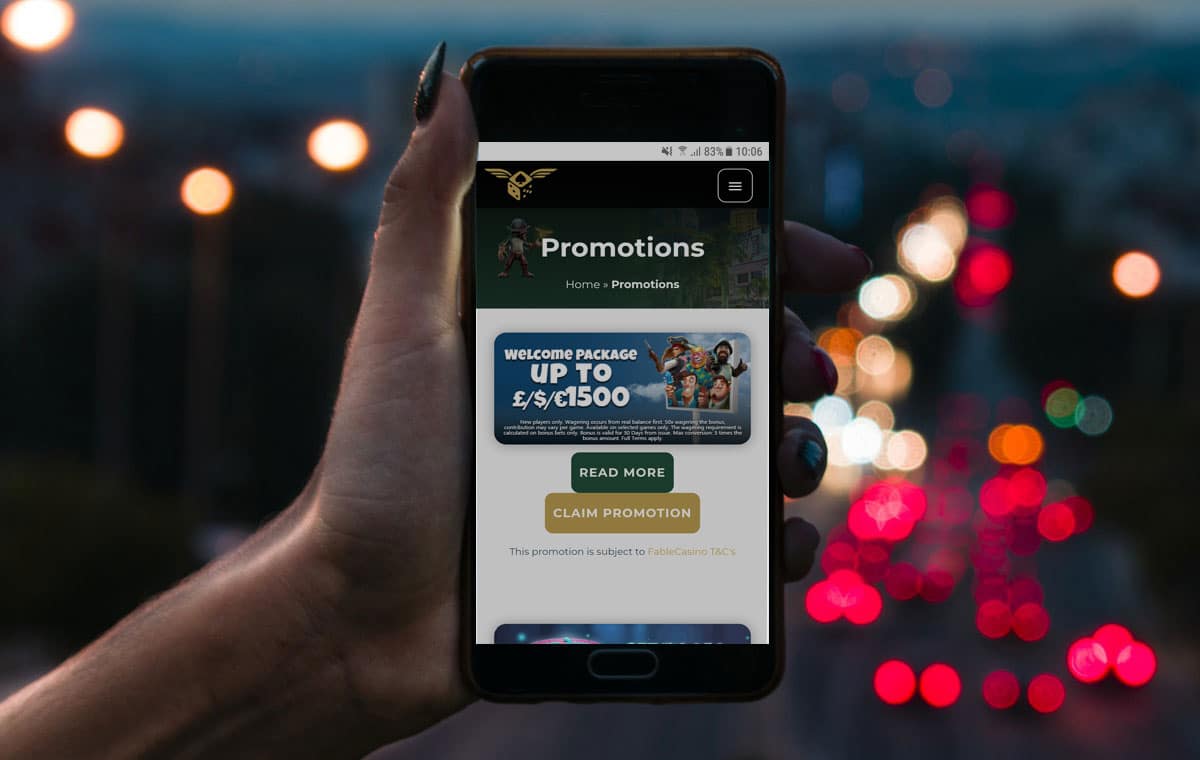
The site is reachable through any modern mobile app without demanding a dedicated app download. The adaptive layout automatically modifies button scaling and font sizes for displays as compact as four inches, while keeping the entire game collection and banking menu. Touch controls take over mouse inputs for rotating reels or betting chips, and the layout supports both portrait and landscape modes without sacrifice of functionality.
Players on iOS and Android tablets experience the similar game performance as desktop users because resources are cached on the device after the opening visit. Battery and data use remain moderate even during extended live-dealer games, because video broadcasts are delivered at variable bitrates that change to available bandwidth. Push messages for deposit receipts and bonus expirations can be activated in the account options; these messages respect the gadget’s do-not-disturb plan and can be filtered by category so that only safety-related messages bother gameplay.
Safe betting tools and help resources
Every account contains a reality-check timer that can be configured to 15, 30, 45 or 60 minutes. When the timer ends the screen fades and a summary of elapsed time and net result is displayed; the player must actively choose to continue or to close the session. Self-exclusion periods of 24 hours, seven days, one month or six months are offered from the same menu and cannot be undone once activated. During a self-exclusion the player cannot access the site even with a new device or email address.
Live chat support is operated daily from 08:00 to 01:00 CET and can address queries in Dutch and English. Response times are typically under two minutes during peak hours. For more complex responsible-gambling concerns, the operator supplies direct telephone numbers for Dutch addiction-prevention organisations and a link to the national gambling helpline. All communications with support are recorded and can be asked for by the player at any time under data-protection regulations.
iDEAL Casino therefore provides Dutch players a complete, locally regulated environment in which deposits move instantly, games are independently tested, and responsible-gambling controls are active by default. Prospective users should verify their identity promptly, set realistic spending limits and check the bonus terms before committing funds. Those steps completed, the platform offers a transparent and technically reliable venue for online casino entertainment within the Netherlands.
09.30.
My Empire Casino Profile Preferences Guide

My Empire Casino rewards a little setup work up front https://myempire.win/login/. A player who invests time on the login page and in account settings achieves better security, fewer distractions, and more control over their play. Australian users get a platform focused on personalisation and protection, with these options placed front and centre rather than buried as an afterthought. Spending a few minutes on preferences ensures quicker future logins, tighter control over marketing messages, and easy access to tools that support healthy gambling habits from the very first session. This guide details each step of the account journey, with plain instructions for managing preferences while keeping personal data safe.
Making Your My Empire Casino Account
The My Empire Casino enrollment form asks for only the details Australian regulators stipulate. You start with a valid email address, a mobile phone number, and a unique password. The password rules are rigid: at least eight characters, one uppercase letter, one digit, and one special character. That minimum blocks a lot of common password attacks before they begin. After you finish those fields, the platform sends a verification code to the mobile number you supplied. Typing the code validates the device is yours, and only then can the account move to the next setup step.
During registration, the player also selects a preferred currency and affirms they are at least 18 years old. My Empire Casino establishes Australian dollars as the default for local members, though anyone with a multi-currency wallet can pick another option. The age checkbox is not just a formality. It activates an automatic date-of-birth check against the identity documents you will be asked for later. Choose a strong, memorable password and maintain it in a dependable password manager. The casino will never ask for your password by email or phone, so regard any request like that as a phishing attempt. Entering the form accurately at this point prevents you from delays during identity verification.
Safeguarding Your Login Credentials
A strong password alone isn’t enough to protect a My Empire Casino account. The platform offers two-factor authentication as an optional extra layer, and Australian users should turn it on. When it’s active, the system requires a time-sensitive code from an authenticator app on your mobile device in addition to the password. Even if someone acquires your password, they still can’t log in without that linked phone. Enabling two-factor authentication takes under two minutes from the security preferences panel, and you get recovery codes during setup. Print those codes or save them offline somewhere secure, never in the cloud.
Pay attention to the devices and networks you use to access the My Empire Casino login page. Public Wi-Fi, notably networks without a password, can expose your login session to interception. A VPN adds a layer of encryption that aids when you are travelling. The platform automatically closes inactive sessions after a short period, but logging out manually on a shared computer is still a sensible habit. Check the list of active sessions and authorised devices in the account dashboard from time to time. If you lose a device or it is lost, the remote logout function can end all sessions with one click.
Setting Deposit and Session Limits
Responsible gambling tools are placed right inside the account preferences at My Empire Casino, so they are easy to find and switch on. The deposit limit function enables a player cap the amount that can be transferred into the casino wallet over a daily, weekly, or monthly period. Once a limit is set, the system enforces it automatically across all payment methods, including credit cards, e-wallets, and bank transfers. Any attempt to exceed the cap is rejected, and the member receives a notification explaining why. This control helps people who want to enjoy the platform without the risk of impulsive spending during a heated session.
Session time limits operate alongside the money controls to help players manage how long they stay logged in. A member can pick a maximum continuous play duration, after which the platform displays a gentle reminder and provides the option to extend or log out. If the session continues, a second, firmer notification appears, and the account may be temporarily suspended until the next calendar day. Loss limits and wagering limits are accessible as well, giving individuals multiple ways to define personal boundaries. All these settings can be changed in the responsible gaming section, and support staff are trained to help anyone who desires stricter controls or a break from the service.
Validating Your Identity
Authorized online casinos in Australia have to verify a player’s identity before withdrawals can be made. My Empire Casino uses a systematic Know Your Customer protocol that aims for thoroughness without forcing players jump through hoops. Once the account is established, the player uploads a clear colour copy of a government-issued photo ID, like an Australian driver licence or passport. The scan must contain the full name, date of birth, and photo with nothing hidden. Simultaneously, the platform asks for a recent utility bill or bank statement with the residential address and a date within the last three months. The two documents together verify who you are and where you live.
The verification team usually reviews submissions within 24 hours, though high-volume periods can extend that a little more. If an image is blurry or the information conflicts with your registration details, the member gets an email that details the exact fix. This direct feedback eliminates a lot of back-and-forth. Once accepted, the account status switches to verified and any deposit or withdrawal restrictions are lifted. Players looking to use POLi or bank transfer will not be able to do so until verification goes through. Upon a change of address, updating identity documents in account settings keeps all features accessible and allows payouts process quicker.
Handling Communication Options
My Empire Casino sends messages by email, SMS, and in-app notifications, and each channel has its own function. The communication centre in account settings gives you control over which channels are used for which type of message. Transactional notifications, like deposit confirmations and withdrawal status updates, are mandatory and cannot be disabled because they act as security records. Promotional messages, including bonus offers and tournament invitations, are optional. If you prefer a quiet inbox, you can untick the marketing email box and still receive SMS reddit.com alerts for account activity. This separation honors your time and attention while keeping critical updates flowing.
Push notifications through the mobile browser or dedicated app give real-time updates on live bets and game releases. You can fine-tune these so only the topics you care about trigger alerts. For example, a live blackjack fan might enable table-opening notifications and mute slots announcements. The frequency can be set to immediate, hourly digest, or daily summary. Australian users travelling overseas should remember that SMS delivery may carry roaming charges, so switching to email-only during trips avoids surprise costs. Changes to communication preferences take effect within minutes, and a confirmation message enables you know the update was saved.
Customizing Account Settings
After the safety basics are taken care of, the preferences dashboard makes each visit to My Empire Casino easier. Settings are arranged into logical categories, covering display and language. Australian players can maintain the interface in English and set the time zone to their capital city, so promotional countdowns and tournament schedules display correct local times. The platform also offers dark mode for people who game in the evening and want less eye strain. Currency display can be fixed to Australian dollars, and bet slip behaviour is configurable: you can confirm a wager with one click or demand a second confirmation, based on what feels right.
The same area includes responsible gambling tools that you can configure before you need them. A member can define default deposit limits that work across all payment methods, stipulate a maximum single bet amount, or activate a reality check timer that indicates how long the session has been running at chosen intervals. These settings are stored immediately and can be increased whenever you want. Loosening a limit initiates a 24-hour cooling-off period, which follows Australian consumer protection principles. The casino also allows players conceal their balance from the main screen, a small toggle that aids some people focus on the game instead of chasing losses. All of these preferences are tied to the account, so signing in from any device brings back the same setup.
Modifying Account Details and Recovery Options
Life changes, and My Empire Casino gives you direct ways to change personal information without reducing security. Changing an email address or phone number necessitates re-verifying the new contact detail with a one-time code, so the account remains linked to its real owner. The platform also permits members to change their residential address by uploading a fresh proof-of-address document, a process that reflects the initial identity verification. These updates generally undergo review within a few hours. The account continues open for deposits and gameplay during the review, though withdrawals could be paused until the new address is confirmed.
Account recovery options require regular checkups because they are the safety net when login credentials are forgotten. The security questions and answers configured during registration can be changed at any time from the preferences panel. Select questions with answers that are not easy to guess from your social media profiles. Associating a backup email address and a secondary phone number also provides alternate recovery channels. My Empire Casino enables storing a trusted device fingerprint, which allows faster identity confirmation when you log in from a recognised phone or laptop. Examine these recovery settings every few months and after major life events to ensure the account resilient against lockouts and unauthorised access attempts.
A well-maintained account preferences setup transforms a generic My Empire Casino visit into a personalised, secure, and controlled environment. Working through registration, identity verification, security layers, display choices, communication controls, responsible gambling tools, and recovery options assists Australian players build a profile that matches their habits and protects their interests. The time invested yields results with smoother logins, fewer interruptions, and stronger defences against both fraud and problematic play. Revisiting the preferences dashboard now and then ensures the account current, so every session continues as safe and enjoyable as the first, even as your habits change.